
+2712 88 00 258
KB20201020/01: Sage 200 Evolution Tip & Trick – How do you clear Agent Login History


The following steps explain how to clear Agent Login History:
Step 1 – Close Evolution on the local PC
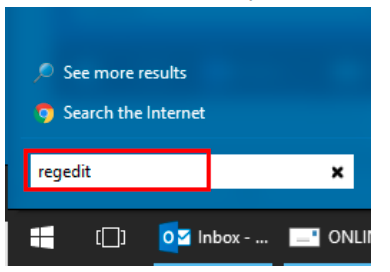
Step 2 – Go to Windows | Run
Step 3 – Type in “regedit” and press the Enter key on the keyboard
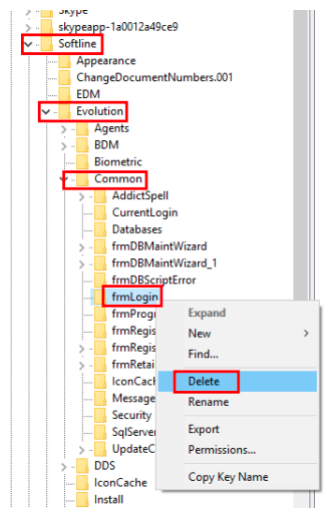
Step 4 – Within the opened Registry Editor, expand HKEY_CURRENT USER | Software | Softline | Evolution | Common
Step 5 – Navigate to and delete the frmLogin registry key as below.
Step 6 – When done, close the Registry Editor and re-open Evolution. The Agent ‘login history’ should now be removed
For more information on the product please contact us at info@sysfinpro.com or by phone on +27 12 880 0258. Alternatively visit our webpage www.sysfinpro.com