
+2712 88 00 258
KB20251008/01: Sage Business Cloud Payroll Professional – Tip & Trick – How to bulk link employees to a method.


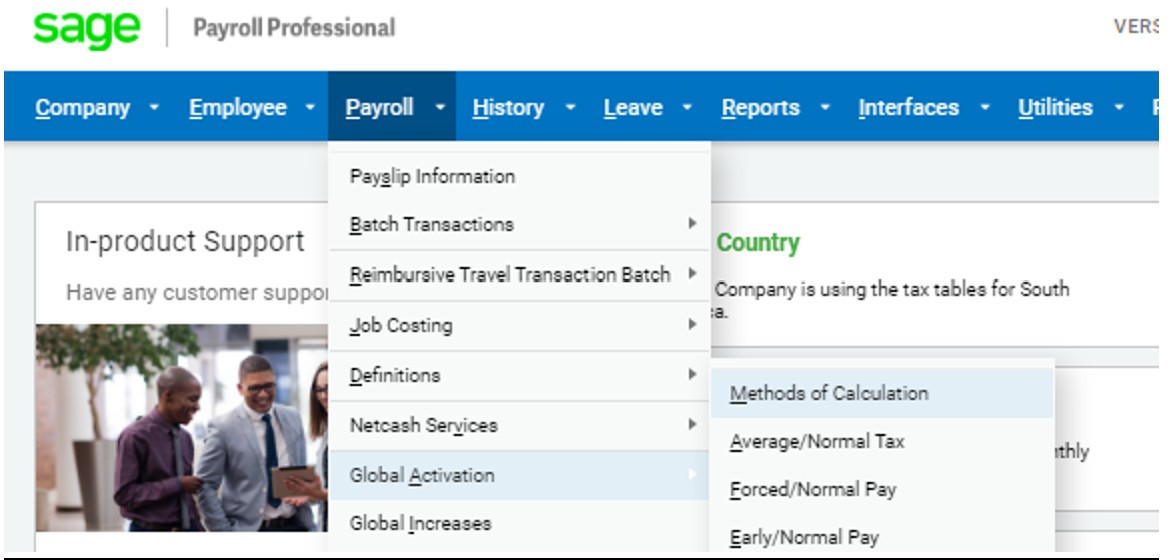
- From the main menu go to Payroll
- Click on Global Activation
- Then click on Methods of Calculation
- Click on Continue
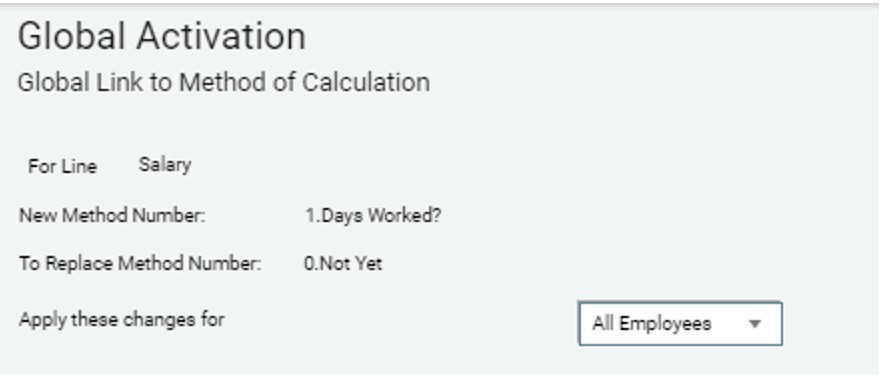
- Select the Earning, Deduction or Calculation Field you want to link
- Select the new method to link employees to
- Select the method to be replaced
- Select who to apply these changes for
- Click on Continue
- The system will ask you if the selections are correct. If so click on Yes